

TL;DR
- Tested against an identical content model, the four CMS platforms diverge most on filtering/sorting behavior (especially how each handles
nullvalues) and on how usable their GraphQL playgrounds are day to day. - Best playground experience: Hygraph, for its built-in, context-aware playground; Sanity is close behind on schema versioning and persistent query history.
- Best single-document retrieval: Hygraph and Storyblok support fetching by slug directly; Contentful and Sanity need a collection-filter workaround.
- Best filtering/sorting/pagination for e-commerce use cases: Contentful, for the most even feature coverage and sensible null-handling in sorts; Hygraph is close behind.
- Weakest overall in this comparison: Storyblok, mainly due to sorting behavior and a 50-item limit on resolved relations — though its
search_termfull-text search is a genuine advantage the others lack.
A headless CMS with a GraphQL API can be a powerful foundation for your project. You need to look closely at the details of each system, from core architecture to editorial experience. The decision also depends heavily on your tech stack, industry, and the specifics of what you’re building.
It’s particularly important to understand how well your chosen headless CMS will hold up once you’re deep into development or trying to scale. Shiny homepage promises can be persuasive, but even after comparing feature lists, you still only have a shallow view of what you’ll face once real-world development begins.
GraphQL API support is one of the most in-demand features for a headless CMS, and most modern platforms offer it even on their free tier. But what does it actually mean when a CMS lists “GraphQL” as a feature?
Not all GraphQL APIs are the same. I learned this the hard way working with different CMS platforms, and I want to share what I’ve found. This article walks through the GraphQL API implementations of four of the most popular headless CMS platforms, with the pros, cons, and workarounds for each. You’ll see how differently the same functionality can be implemented across systems.
To make the comparison concrete, I’ve built 4 projects with the same content model and content, one in each CMS:
- Contentful
- Sanity CMS
- Storyblok CMS
- Hygraph CMS
GraphQL requirements
To compare the GraphQL APIs of these headless CMS platforms, I put together a checklist of the features I believe any team building a real project would expect:
- Representation of the content model, with separate access to all nested objects
- Retrieval of a single document through a convenient handler
- Filtering objects based on any field value, with pagination and sorting
- Filtering arrays, especially arrays of references, based on field values, with pagination and sorting
- Support for arrays of objects of different types
- Retrieval of a slice of documents corresponding to a specified environment (e.g., production, draft)
- Existence of a reverse reference
- Bonus: retrieval of a slice of documents corresponding to a specific locale
- Bonus: filtering based on properties of the fields that references lead to
- Bonus: a GraphQL playground
We’ll go through these one by one and compare all four CMS platforms against each, with use cases and examples for each requirement.
Before that, let’s outline the content model we’ll use throughout.
Content model
Let’s outline the content model we’ll use as an example. It’s an exaggerated version, deliberately simplified so it’s reproducible across different CMS platforms and useful for demonstrating how each one handles basic tasks. We’ll use a simple content model for an e-commerce shop, shown below.
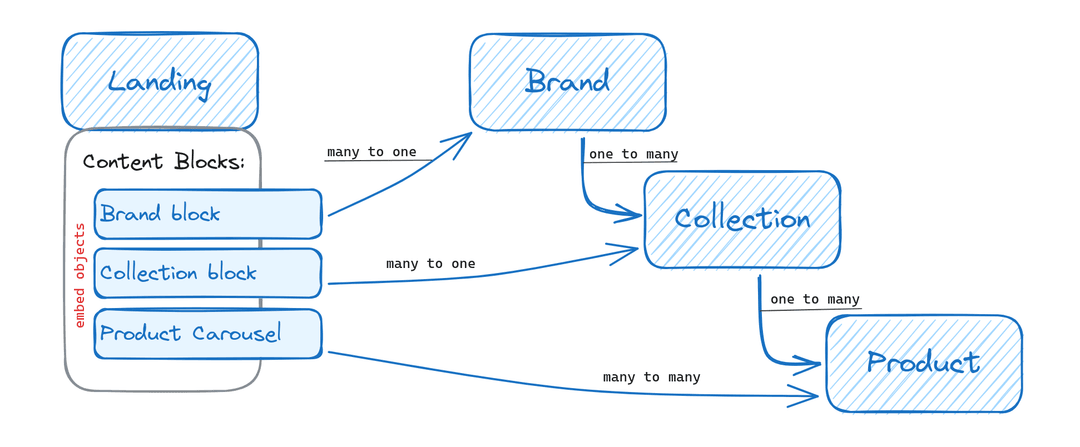 Content model diagram for an e-commerce app, showing Brand, Collection, Product, and Landing page content types and their relationships
Content model for an e-commerce app
We have a Brand type representing different brands, sitting at the root of our hierarchy. Each Brand represents its products not directly, but through a list of collections — so the Brand content type has an array of references to Collection documents. Each Collection contains a list of Products. (In real life, a product could belong to multiple collections, and collections wouldn’t be tied to a single brand — but for simplicity, we’re sticking with this exaggerated model.)
Besides the e-commerce part, we also want some landing pages with arbitrary content. For that, we’ll create a Landing content type which, alongside obvious fields like title, slug, and other SEO parameters, has an array of nested objects for content blocks. Content blocks are a generic name for several content types, each containing a specific kind of content to insert on a page — formatted text, text with an image, quotes, cards, and so on. In our case, we’ll limit ourselves to three block types:
- A block for inserting brand information. It contains a link to the brand and some formatted text to add context about that brand on the landing page. Do we need fields for the logo and brand name in this block type? No, we can get those through the link to the brand object itself.
- A block for inserting information about a collection. By design, this block displays the collection’s name, the brand it belongs to, and the first three products in it. How many fields do you think we need to add to this block type to display all of that on the front end? The answer is one — a single link to the collection. Following the single-source-of-truth principle, everything else can be resolved from the collection object and its relationships.
- A block for a product carousel, containing an array of links to individual products.
Why nested objects rather than references? Because they’re easier to work with in practice — you can duplicate a landing page and get an independent set of blocks that can be edited safely without affecting other pages.
Generate content
After spending a fair amount of time creating identical content models for each headless CMS, I wanted to speed things up, so I asked ChatGPT to generate content for all the fields. I didn’t even know what products I wanted to sell — so I let ChatGPT invent those too. A few seconds later, here’s what I had:
ChatGPT response:
Let’s consider a thematic of “Handcrafted Artisan Chocolates” for your eCommerce webstore.
Brand:
| Title | Description |
|---|---|
| Artisan Delights | Artisan Delights offers an exquisite range of handcrafted artisan chocolates. Made with love and the finest ingredients, each piece is a journey of taste and delight. |
Collections:
| Title | Brand |
|---|---|
| Luxury Truffles | Artisan Delights |
| Vegan Collection | Artisan Delights |
Products for Luxury Truffles Collection:
| Name | Description | Collection | Slug |
|---|---|---|---|
| French Silk Truffles | Smooth, creamy truffles with a velvety center, dusted lightly with cocoa. | Luxury Truffles | french-silk-truffles |
| Hazelnut Heaven Truffles | Decadent truffles filled with a rich hazelnut ganache, coated in milk chocolate. | Luxury Truffles | hazelnut-heaven-truffles |
| Dark Desire Truffles | Dark chocolate truffles with a bittersweet filling, for the lovers of intense flavors. | Luxury Truffles | dark-desire-truffles |
Products for Vegan Collection:
| Name | Description | Collection | Slug |
|---|---|---|---|
| Pure Noir | Luxuriously dark vegan chocolates, offering a rich, indulgent experience. | Vegan Collection | pure-noir |
| Almond Bliss | Vegan chocolates filled with creamy almond butter for a delightful crunch. | Vegan Collection | almond-bliss |
| Berry Burst | Vegan chocolates with a tangy, fruity filling of mixed berries. | Vegan Collection | berry-burst |
I hope this meets your requirements. Feel free to ask for any modifications.
That covered all the text fields for the content model. Next, I generated some images using DALL·E 3, since it handles text and logos well. Here’s what it produced for the brand logo:
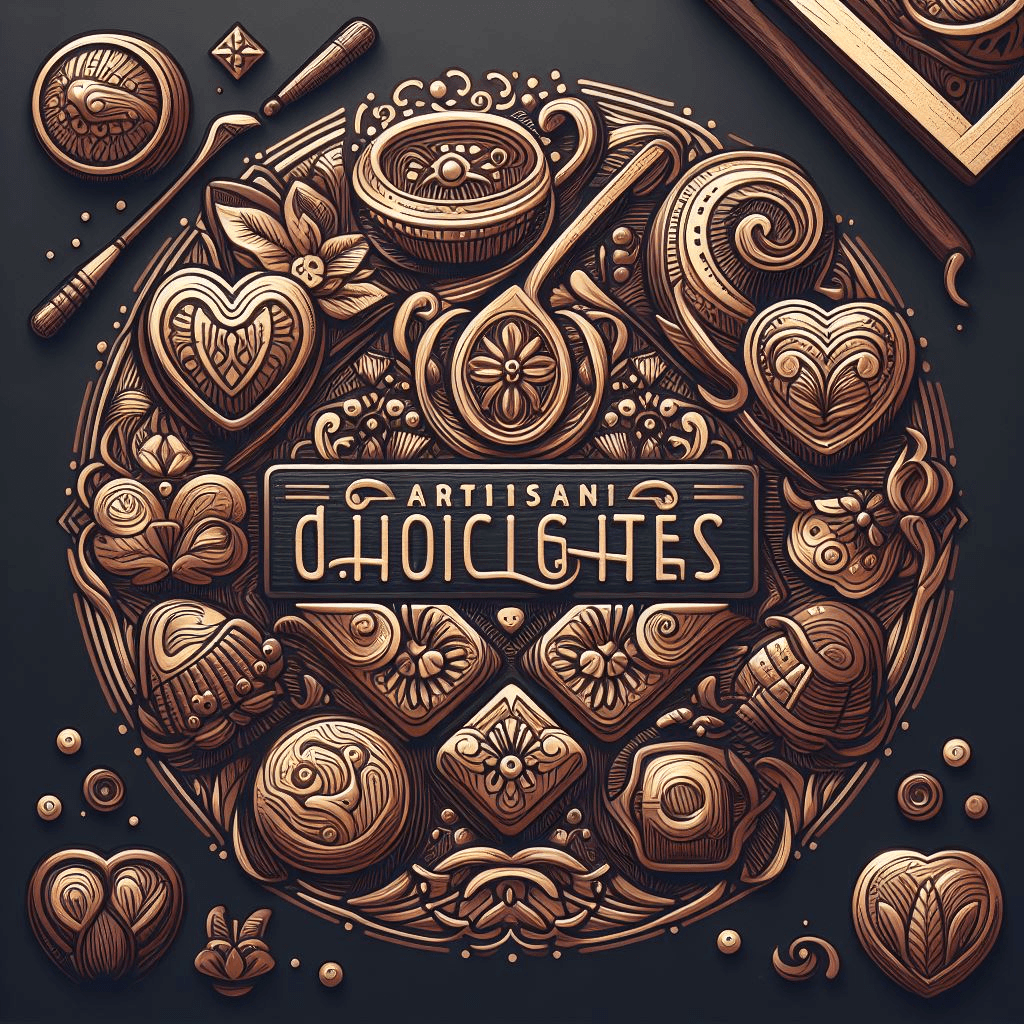 AI-generated logo for the Artisan Delights chocolate brand
With the content and images ready, all that was left was populating the four CMS platforms — and unfortunately, ChatGPT couldn’t do the copy-pasting for me. AI handles the creative work well; humans are still stuck with the mundane part.
GraphQL Playgrounds
With the content in place, it’s worth checking what each CMS offers for testing GraphQL queries directly, without writing any code. Here’s how the playground experience compares across all four.
Contentful
To enable the GraphQL playground in Contentful, you need to install it from the marketplace — here’s the link. Once installed, it’s accessible under the Apps menu in the toolbar.
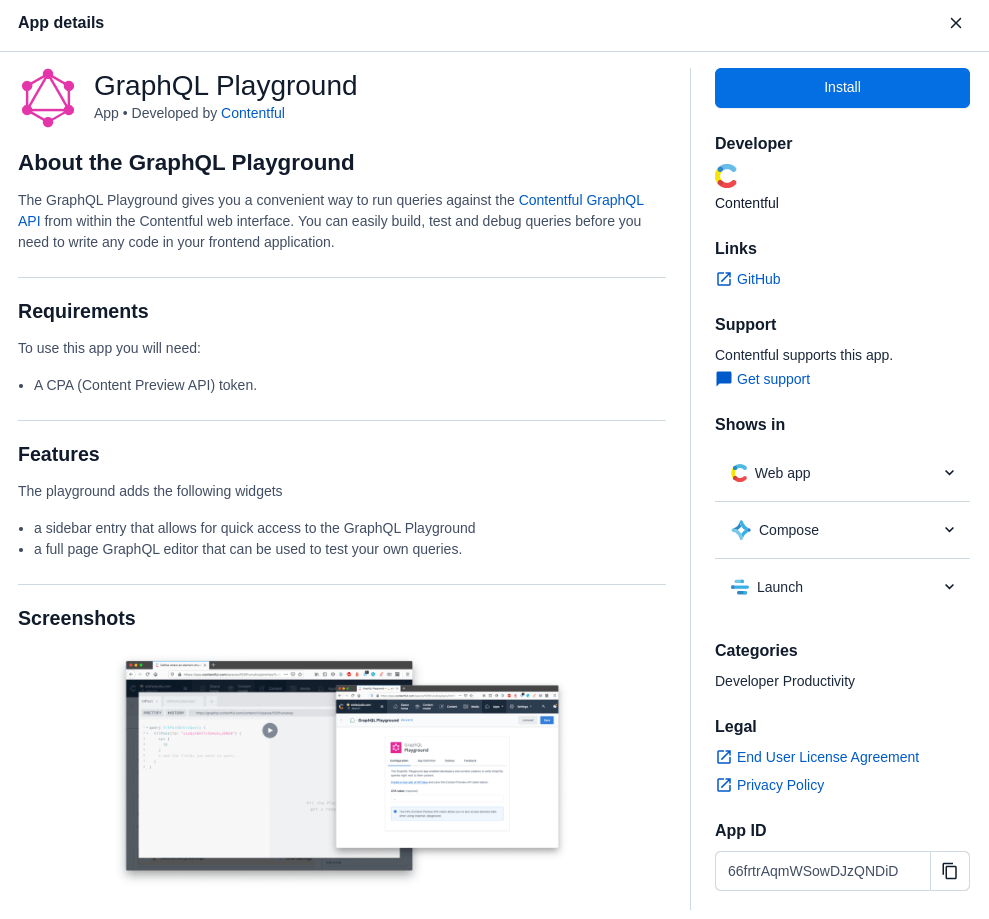 Contentful GraphQL Playground accessed from the Apps menu
One inconvenience worth flagging: closing the browser tab loses all your queries, so copy anything you need to keep somewhere safe first.
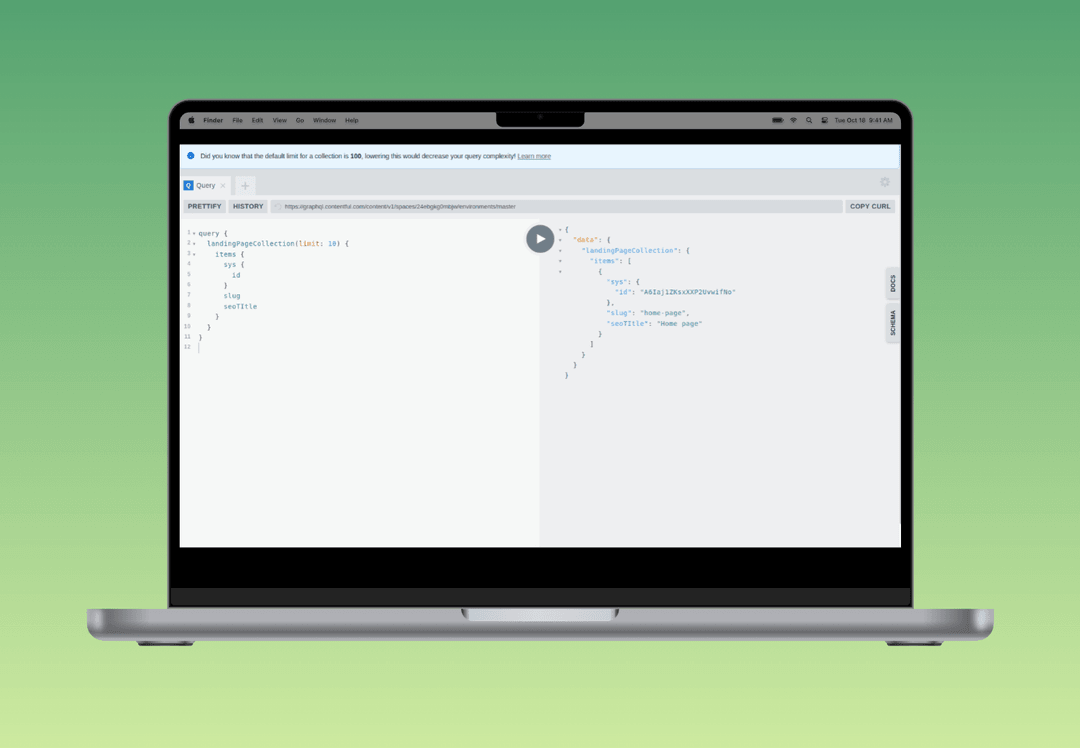 Contentful GraphQL Playground open in the browser with a query in progress
Otherwise it’s a solid experience, and you can open multiple tabs to work on several queries at once.
Sanity
In Sanity, you deploy the GraphQL endpoint via the CLI from your project folder, which gives you a URL for a playground pointed directly at your dataset.
 Sanity GraphQL Playground URL deployed via the CLI, pointed at a dataset
You can deploy as many independent endpoints as you need, and each one ships with a schema generated at deploy time. That’s useful for keeping a version history and for compatibility with your frontend, especially on larger projects where CMS and frontend releases don’t always line up.
 Sanity GraphQL endpoint list showing schema versions generated at deploy time
Unlike Contentful, Sanity saves your query history even after you close the tab, so you can pick queries back up later.
Storyblok
Storyblok’s GraphQL playground is accessed via a single URL:
https://gapi-browser.storyblok.com/?token=[your_token]
Like Contentful, it doesn’t persist queries after you close the tab, and it only supports one query per page — though you can work around that by opening multiple browser tabs.
 Storyblok GraphQL Playground accessed via the gapi-browser URL
Hygraph
Hygraph ships with a built-in GraphQL playground inside the admin app, accessible from the left-hand sidebar.
 Hygraph GraphQL Playground accessed from the admin app sidebar
It also lets you open the playground directly from the document editor or documents list, and it auto-generates a full query for the document you’re viewing — you can launch it as-is or copy it into your project.
 Hygraph auto-generated GraphQL query launched from the document editor
Scores
Rated on ease of setup, query persistence, and overall convenience:
| Playground | Rating |
|---|---|
| Contentful | 3/5 |
| Sanity | 4.5/5 |
| Storyblok | 2/5 |
| Hygraph | 5/5 |
Hygraph comes out ahead for its built-in, context-aware playground. Sanity is close behind, thanks to persistent query history and schema versioning. Contentful and Storyblok both lose points for not persisting queries between sessions.
Representation of the content model with separate access to all nested objects
This section looks at representing the content model with separate access to all nested objects. This matters because GraphQL lets you precisely specify the shape of a response — reducing payload size by avoiding redundant fields, and retrieving related information from referenced and nested objects in a single query.
Imagine rendering a landing page: you need to query the landing page itself, the nested Content Blocks (to map them to the right React components), and the references those Content Blocks point to.
Contentful
query GetDeepNestedFields {
  landingPage(id: "A6Iaj1ZKsxXXP2UvwifNo") {
    seoTItle
    seoDescription
    contentBlocksCollection(limit: 10) {
      items {
        ... on CollectionBlock {
          collection {
            title
            productsCollection {
              items {
                name
                image {
                  url
                }
              }
            }
          }
        }
      }
    }
  }
}
This query retrieved the landing page details, collection titles, and product names with their image URLs.
Contentful doesn’t support nested objects directly. To work around this, I implemented all Content Blocks as their own content types with references from the landing page — and was still able to pull field values four levels deep (landing page → content block → collection → products).
Worth noting: Contentful enforces a complexity limit on queries. With multiple nested arrays, as in this case, you risk exceeding it and getting a TOO_COMPLEX_QUERY error. Pagination on array fields (via limit) helps keep queries under the threshold.
Sanity
query GetDeepNestedFields {
  LandingPage(id: "542228fe-1ca9-4f13-81a8-9413954c4cac") {
    seoTitle
    seoDescription
    contentBlocks {
      ... on CollectionBlock {
        collection {
          title
          products {
            name
            image {
              asset {
                url
              }
            }
          }
        }
      }
    }
  }
}
This worked without any complications, returning the SEO fields plus the collection titles and product names/images from the nested content blocks.
Storyblok
query GetDeepNestedFields {
  LandingpageItem(id: "393747412", resolve_relations: "Collection Block.Collection") {
    content {
      SEOTitle
      ContentBlocks
    }
  }
}
Storyblok needs some extra handling here. The ContentBlocks field comes back as a BlockScalar type — a JSON string with all nested fields and values expanded inline, which isn’t the typical GraphQL approach.
To resolve the Collection and Product references, I used the resolve_relations parameter. This does return the actual objects instead of bare references, but Storyblok caps resolved relations at 50 items and doesn’t support nested resolvers. Working around that means either restructuring the content model, making additional API requests, or fetching all products in the same query and filtering client-side or at build time.
Hygraph
query {
  landingPage(where: {slug: "home-page"}) {
    seoTItle
    seoDescription
    contentBlocks {
      ... on CollectionBlock {
        collection {
          title
          products {
            name
            image {
              url
            }
          }
        }
      }
    }
  }
}
This worked cleanly, no issues.
One thing to know: Hygraph caps the number of items returned from an array by default — use first or last to control it. Hygraph also tracks query complexity, so it’s worth being deliberate about how queries are structured.
Scores
Unlike REST, GraphQL lets a single query cover what would otherwise take multiple REST requests — though that convenience comes with its own cost in query complexity to manage.
- Contentful enforces a complexity limit but is transparent about it, which makes it manageable.
- Sanity handles nested queries exceptionally well, with flexible, powerful querying for complex data structures.
- Storyblok has real limitations resolving nested references, and working around them takes extra developer effort.
- Hygraph performed strongly throughout, handling nested queries well with solid performance.
Nesting support:
| Contentful | Sanity | Storyblok | Hygraph |
|---|---|---|---|
| 4.5/5 | 5/5 | 2/5 | 5/5 |
Retrieval of a single document through a convenient handler
In practice, you’ll usually query either a list of objects or a single object from your headless CMS. A good example is an SSG built on Next.js, which is a first-class framework in FocusReactive’s stack: when rendering pages one by one at build time, you typically want to query single pages by their slug, since that’s the natural key for a static-generation workflow. In general, you want to be able to query a document by any unique parameter — id, slug, or otherwise.
Let’s see how each CMS handles this.
Contentful
Contentful can only query a single page by its id field:
query GetDocumentByHandler {
  landingPage(id: "A6Iaj1ZKsxXXP2UvwifNo") {
    sys {
      id
    }
    slug
    seoTItle
  }
}
This isn’t very handy if you have dynamic routes, where the page path is your parameter, not the id. The workaround is to query the collection and filter by your unique value instead:
query GetDocumentByHandler {
  landingPageCollection(where: {slug: "home-page"}) {
    items {
      sys {
        id
      }
      slug
      seoTItle
    }
  }
}
That gets you exactly what you need, a single page by its slug. One tip: if you still need the document id, you’ll find it under the sys object.
Sanity
Sanity works the same way, documents can only be queried by id, so the same workaround applies. Here’s both approaches in a single query:
query GetDocumentByHandler {
  LandingPage(id: "542228fe-1ca9-4f13-81a8-9413954c4cac") {
    _id
    slug {
      current
    }
    seoTitle
  }
  allLandingPage(where: { slug: {current: {eq: "home-page"}}}) {
    _id
    slug {
      current
    }
    seoTitle
  }
}
Storyblok
In Storyblok, the document query only accepts an id parameter — but the docs note that id can actually be a slug, numeric ID, or UUID. Let’s try it:
query GetDocumentByHandler {
  LandingpageItem(id: "home-page") {
    id
    slug
    content {
      SEOTitle
    }
  }
}
It works. Storyblok is a strong contender here — but there’s one more CMS to check.
Hygraph
Hygraph lets you fetch a document by either slug or id:
query GetDocumentByHandler {
  landingPage(where: {slug: "home-page"}) {
    id
    slug
    seoTItle
  }
}
Scores
Storyblok and Hygraph come out ahead here. Hygraph’s approach is the more transparent of the two, since the parameter name tells you exactly what you’re passing — with Storyblok’s overloaded id, that’s less obvious on a first read.
Contentful and Sanity don’t offer single-document lookup by slug directly, but the collection-filter workaround is simple enough that it’s a minor issue in practice.
Single-document retrieval:
| Contentful | Sanity | Storyblok | Hygraph |
|---|---|---|---|
| 3/5 | 3/5 | 4.5/5 | 5/5 |
Filtering objects based on any field value, pagination, sorting
Filtering is one of the most useful GraphQL features, and one of the most important requirements for a real project — it’s a big part of where GraphQL wins over REST. Pagination matters once you have too many documents to return at once, and sorting is what makes pagination predictable, since it’s the only way to control which documents arrive first. Let’s see how filtering works across our four CMS platforms.
Contentful
query FilterPaginationSorting {
  productCollection(
    where: {
      AND: [
        { OR: [{ rating_gte: 5 }, { rating_exists: false }] }
        { name_contains: "Truffles" }
      ]
    }
    order: [rating_DESC, sys_publishedAt_ASC]
    limit: 1
    skip: 1
  ) {
    total
    skip
    limit
    items {
      name
      rating
    }
  }
}
The where parameter handles the filter. Contentful supports fairly complex filtering — AND / OR logic plus a solid set of string and number comparison operators. Here, I’m filtering for products with a rating of 5 or higher, or no rating at all, AND a name containing “Truffles.” With just the filter applied, that narrows six products down to three:
"items": [
        {
          "name": "Hazelnut Heaven Truffles",
          "rating": 10
        },
        {
          "name": "Dark Desire Truffles",
          "rating": null
        },
        {
          "name": "French Silk Truffles",
          "rating": null
        }
      ]
Adding sorting reorders the results — first by rating, then by published date for any ties.
Finally, pagination: limit: 1 controls how many items come back per request, and skip shifts the window across the sequence. (Note: don’t actually set limit: 1 in a real project.)
Sanity
Filtering in Sanity uses different syntax and offers fewer options, but it’s still enough for practical use. AND logic is implicit — just add multiple fields to the where object. Here I’m filtering for a rating above 5 and “Truffles” in the name:
query FilterPaginationSorting {
  allProduct(where: { rating: { gte: 5 }, name: { matches: "Truffles" } }) {
    name
    rating
  }
}
Sanity’s GraphQL API doesn’t support OR logic, but it does have a reasonable range of number, string, and boolean comparison operators.
Let’s try sorting:
query FilterPaginationSorting {
  allProduct(sort: [{rating: DESC},{_createdAt: ASC}]) {
    name
    rating
  }
}
This uses the same sort order as the Contentful example, but Sanity handles one case differently, and it’s worth calling out. Some products don’t have a rating value set, so the field is a mix of numbers and null. What would you expect a descending sort to do with that? Here’s what Sanity actually returned:
{
  "data": {
    "allProduct": [
      {
        "name": "Dark Desire Truffles",
        "rating": null
      },
      {
        "name": "French Silk Truffles",
        "rating": null
      },
      {
        "name": "Almond Bliss",
        "rating": null
      },
      {
        "name": "Hazelnut Heaven Truffles",
        "rating": 10
      },
      {
        "name": "Berry Burst",
        "rating": 6
      },
      {
        "name": "Pure Noir",
        "rating": 4
      }
    ]
  }
}
The null values land first. Whether that’s the behavior you want depends on the project, but I’d generally prefer numeric values to come first regardless of sort direction, with nulls trailing — which is how Contentful handles it.
For pagination, Sanity has limit and offset params.
Storyblok
The query looks like this. Storyblok has fewer comparison operators, but it does offer a search_term parameter for full-text search:
query FilterPaginationSorting {
  ProductItems(filter_query_v2: {rating: {gt_int: 5}}, search_term: "Truffles") {
    items {
      content {
        Name
        rating
      }
    }
  }
}
Now for sorting:
query FilterPaginationSorting {
  ProductItems(sort_by: "content.rating:desc,first_published_at:asc") {
    items {
      content {
        Name
        rating
      }
    }
  }
}
That returns:
[
        {
          "content": {
            "Name": "Berry Burst",
            "rating": "6"
          }
        },
        {
          "content": {
            "Name": "Pure Noir",
            "rating": "4"
          }
        },
        {
          "content": {
            "Name": "Hazelnut Heaven Truffles",
            "rating": "10"
          }
        },
        {
          "content": {
            "Name": "Dark Desire Truffles",
            "rating": ""
          }
        },
        {
          "content": {
            "Name": "French Silk Truffles",
            "rating": ""
          }
        },
        {
          "content": {
            "Name": "Almond Bliss",
            "rating": ""
          }
        }
      ]
Pagination uses per_page and page: per_page sets the page size, and page is a multiple of it. For example, per_page: 3, page: 1 returns the first three items.
Hygraph
Hygraph’s where filter looks similar to Contentful’s:
query FilterPaginationSorting {
  productsConnection(
    where: {AND: [{OR: [{rating_gte: 5}, {rating: null}]}, {name_contains: "Truffles"}]}
    orderBy: rating_DESC
    first: 3
    after: "clo2w9v7000jv0ampv71t27l3"
  ) {
    pageInfo {
      hasNextPage
      startCursor
      endCursor
      pageSize
    }
    aggregate {
      count
    }
    edges {
      cursor
      node {
        name
        rating
      }
    }
  }
}
It also adds a NOT operator alongside AND and OR.
Hygraph only allows a single sort parameter, and — like Sanity — it puts null values first, with numeric ratings after.
Pagination is where Hygraph stands out. It gives you a full set of pagination utilities: total item count, current page position, and two ways to paginate — first / last with skip for offset-based pagination, or passing the last cursor to after for cursor-based pagination.
Note that Hygraph exposes two ways to query multiple items: products for simple queries, and productsConnection for the full pagination feature set.
Scores
Filtering, sorting, and pagination matter most for e-commerce projects — less so for marketing landing pages. This section evaluates the CMS platforms specifically from an e-commerce standpoint, since that’s where these features get used the most: rich filtering, search, and infinite scroll all depend on what’s covered here.
Here’s a quick illustration: sorting all six products by a single parameter, orderBy: rating_DESC, with no filters or additional sorting.
| Contentful | Sanity | Storyblok | Hygraph |
|---|---|---|---|
| “name”: “Hazelnut Heaven Truffles”, “rating”: 10 | “name”: “French Silk Truffles”, “rating”: null | “Name”: “Berry Burst”, “rating”: “6” | “name”: “Almond Bliss”, “rating”: null |
| “name”: “Berry Burst”, “rating”: 6 | “name”: “Almond Bliss”, “rating”: null | “Name”: “Pure Noir”, “rating”: “4” | “name”: “French Silk Truffles”, “rating”: null |
| “name”: “Pure Noir”, “rating”: 4 | “name”: “Dark Desire Truffles”, “rating”: null | “Name”: “Hazelnut Heaven Truffles”, “rating”: “10” | “name”: “Dark Desire Truffles”, “rating”: null |
| “name”: “Dark Desire Truffles”, “rating”: null | “name”: “Hazelnut Heaven Truffles”, “rating”: 10 | “Name”: “Almond Bliss”, “rating”: “” | “name”: “Hazelnut Heaven Truffles”, “rating”: 10 |
| “name”: “French Silk Truffles”, “rating”: null | “name”: “Berry Burst”, “rating”: 6 | “Name”: “French Silk Truffles”, “rating”: “” | “name”: “Berry Burst”, “rating”: 6 |
| “name”: “Almond Bliss”, “rating”: null | “name”: “Pure Noir”, “rating”: 4 | “Name”: “Dark Desire Truffles”, “rating”: “” | “name”: “Pure Noir”, “rating”: 4 |
Draw your own conclusions from that. One clarification: in the Storyblok case, it looks like rating was set as a string instead of a number, but that’s not a mistake, that’s genuinely how Storyblok returns it.
 Storyblok rating field returning a string instead of a number in the response
Overall, Contentful and Hygraph come out as the strongest choices for e-commerce use cases, with Sanity close behind.
Contentful provides the most even coverage of these features, in order of how much they matter, and its handling of null values in sorting is the behavior I’d want by default. Hygraph has some advantages, but its single-parameter sorting and null-first behavior cost it points by comparison. Sanity covers enough ground to be a solid option too. Storyblok’s sorting behavior is the weak point here, though its search_term parameter for full-text search across all fields is a genuinely nice feature the others don’t have.
Querying items (filtering, sorting, pagination):
| Contentful | Sanity | Storyblok | Hygraph |
|---|---|---|---|
| 5/5 | 4/5 | 3/5 | 4.5/5 |
Need help implementing your headless CMS?
Choosing a headless CMS with “GraphQL support” on the feature list is easy; choosing one with a GraphQL API that actually works for your real-world queries is where most teams get burned. The differences you’ve seen across Contentful, Sanity, Storyblok, and Hygraph are exactly why we treat GraphQL architecture as a first-class part of any CMS evaluation or migration.
If you need help auditing or scaling a headless CMS with a GraphQL API that won’t block your developers or marketers, our headless CMS expert agency can step in as your technical partner — from content modeling to production-ready Next.js implementations.
.png&w=828&q=90)




.png&w=828&q=90)
.jpg&w=64&q=90)

%2520(1).png&w=828&q=90)
